Don't just rank.
Get cited.
The first pSEO engine built for the AI search era. Turn one URL into 50+ AEO-optimized Markdown pages engineered for ChatGPT and Perplexity citations.
CiteRelay | Programmatic SEO for Google & AI
CompleteWhy I Built CiteRelay
I can build. What I couldn't do was make people find what I built.
Every app I started had the same bottleneck — the product worked, but I had no idea how to get anyone to find it. Marketing felt like a second job I wasn't hired for, and SEO was a black box I didn't have time to figure out.
So I built CiteRelay to solve my own problem. Paste a URL, generate a batch of structured, citation-ready pages, publish, and move on. It's the engine I wished I had from the start — and the foundation for everything still to come.
Founder @ CiteRelay
Features
From URL to cited — every step, handled.
Programmatic SEO + AEO
Pages are generated with perfect Markdown structure to rank on Google, plus optimized schemas so AI bots can cite your product directly.
---
title: "How to Integrate CiteRelay Generated Markdown with Webflow"
slug: "integrate-citerelay-markdown-webflow"
metaDescription: "Learn how to seamlessly integrate CiteRelay's programmatic SEO content into Webflow. Follow this guide to scale your content strategy and boost AI visibility."
targetKeywords:
  - "integrate markdown with Webflow"
  - "programmatic SEO for Webflow"
  - "importing AI content into Webflow CMS"
  - "scaling SaaS SEO with CiteRelay"
vibeScore: 95
---

# How to Integrate CiteRelay Generated Markdown with Webflow

For indie founders and SaaS teams, the biggest bottleneck isn't generating content—it's publishing it. CiteRelay streamlines the creation of bulk SEO and AEO-optimized pages, but the final step is getting that content live in your CMS.

Integrating Markdown-based programmatic SEO into Webflow is a highly efficient way to scale your organic presence without manual copy-pasting. Here is the professional workflow for deploying CiteRelay assets into your Webflow site.

## The Strategy: Why Markdown Matters for Webflow
Webflow's CMS is robust, but it does not natively import Markdown files directly through the dashboard interface. However, because CiteRelay exports structured, schema-rich Markdown, you can automate the process to ensure your metadata, H1-H6 tags, and AI-optimized schemas remain intact.

There are three primary methods to bridge the gap between CiteRelay and Webflow:

### 1. The Bulk CSV Import Method (Recommended)
You can transform your CiteRelay-generated markdown content into a CSV for an instant CMS upload.
*   **Step 1:** Use a Markdown-to-HTML converter (like Pandoc or an online bulk tool) to convert your CiteRelay ZIP export into clean HTML files.
*   **Step 2:** Map the HTML content, meta titles, meta descriptions, and slugs into a CSV template that matches your Webflow CMS Collection fields.
*   **Step 3:** Navigate to **CMS Collections > Import** in Webflow and upload your CSV.
*   **Outcome:** All 50+ pages are generated and live within minutes.

### 2. Using Webflow's "Rich Text" Field
If you prefer not to convert to HTML, Webflow's Rich Text fields are designed to handle imported structure effectively:
*   **Workflow:** Use a tool like **Make.com** or **Zapier** to watch a specific Google Drive or Dropbox folder. When a new Markdown file from CiteRelay arrives, the automation parses the content.
*   **Mapping:** The automation maps the Markdown header to the "Title" field, the body to the "Rich Text" field, and the schema metadata to a custom "Embed" field.
*   **Benefits:** This keeps your workflow hands-off, allowing for a "set it and forget it" programmatic SEO strategy.

## How to Handle Schema Markup for AI Visibility
CiteRelay is engineered for AEO (Answer Engine Optimization). To ensure ChatGPT and Perplexity correctly attribute your content, you must preserve the schema markup during the export.

*   **Custom Embeds:** Within your Webflow CMS Collection, create an "HTML Embed" field.
*   **Implementation:** During the import process, ensure the AI-specific JSON-LD snippets generated by CiteRelay are piped directly into this "HTML Embed" field rather than the standard Body field.
*   **Impact:** By placing schema in an HTML Embed block, you ensure that search crawlers and AI bots can parse the structural metadata without it rendering as visible text on your page.

## Scaling Quality: The "Vibe Score" Advantage
A common concern for founders is whether programmatic content will trigger Google's spam algorithms. CiteRelay mitigates this by providing a **Vibe Score** for every page created.

*   **Quality Filtering:** Before you trigger your Webflow import, review the Vibe Score of your generated pages.
*   **Manual Touchpoints:** If a page scores below your internal quality threshold, use the editor to refine the opening hook.
*   **Consistency:** Because CiteRelay crawls your existing homepage to learn your brand voice, the "Vibe" is inherently baked into the syntax, preventing the "generic AI tone" that often triggers quality penalties.

## Frequently Asked Questions

### Can I automate this without coding?
Yes. Using **Make.com**, you can connect your CiteRelay exported files (via a cloud storage sync) directly to the Webflow API. This removes the need for manual CSV mapping once your initial schema field structure is set.

### Will AI-generated content get penalized by Google?
Google's Search Essentials focus on content quality, not the method of production. By using CiteRelay to generate high-intent, value-add pages that satisfy specific search queries, you are providing genuine utility. The risk of penalty occurs with "thin" programmatic content; CiteRelay avoids this by including deep activation intents and schema-rich structures.

### What happens if I stop using CiteRelay?
Your published pages remain in Webflow. Because the content is exported as Markdown/HTML and lives in your native CMS, you maintain full ownership. You do not lose your traffic or your rankings if you cancel your subscription; your existing content remains yours to edit and maintain.

### Can I target specific long-tail keywords in Webflow?
Absolutely. When configuring your campaign in CiteRelay, define your "Activation Questions." These map directly to the long-tail search intent typical of AEO queries. By naming your Webflow CMS item and slug based on these high-converting queries, you optimize your site for long-tail search discovery.
Vibe Score
Every generated page receives a quality score so you know which content will perform before you publish.
Site Analysis
Paste your URL and CiteRelay crawls your site to understand your product, audience, and positioning in seconds.
Intent Matching
AI identifies the exact questions your target customers ask — then maps them to high-impact activation intents.
Batch Generation
Generate up to 100 pages per campaign. Scale your organic search footprint across your entire funnel in one run.
Export & Deploy
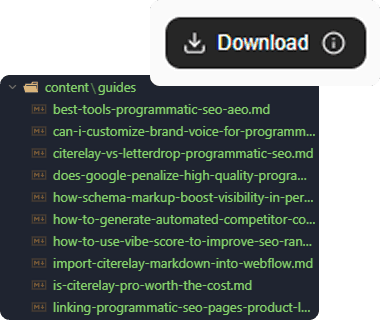
Download as Markdown ZIP and publish to your CMS, blog, or static site — no lock-in.
How it works
Three steps to
invisible to cited
Paste your URL
CiteRelay scrapes your product page and extracts your real positioning, features, and audience — so every generated page is grounded in your actual product, not generic AI filler.
Set your AEO questions
Define the natural-language queries your customers ask AI assistants before they find you. These become the anchors for your entire content campaign.
Forge and export
CiteRelay builds structured Markdown pages — each with inverted-pyramid answers, mandatory FAQ sections, and a Vibe Score. Download the ZIP and publish to your site.
Pricing
Credits that scale
with your campaigns—not a seat-tax spreadsheet
Free
Billed monthly
Try CiteRelay on a single site. Experience the AEO engine.
What's included
- 1 Active campaign
- 3 AEO pages generated
- 3 Activation questions
- 3 URL scrapes / month
- Markdown ZIP Export
- No credit card required
Pro
Billed monthly
For indie founders ready to dominate Google and Answer Engines across their full funnel.
What's included
- Unlimited campaigns
- Up to 50 SEO/AEO pages per campaign
- 250 credits / month
- 5 Activation questions
- 50 URL scrapes / month
- Markdown ZIP Export
Scale
Billed monthly
For SaaS teams running large-scale programmatic SEO programs.
What's included
- Unlimited campaigns
- Up to 100 SEO/AEO pages per campaign
- 1,000 credits / month
- 10 Activation questions
- 200 URL scrapes / month
- Markdown ZIP Export
Prices in USD. Have questions? Contact us.
Guides
Everything you need
to go from export to cited
Deploy your first pages in under 10 minutes
A step-by-step guide for publishing CiteRelay Markdown to Next.js — from export to indexed.
Read the guide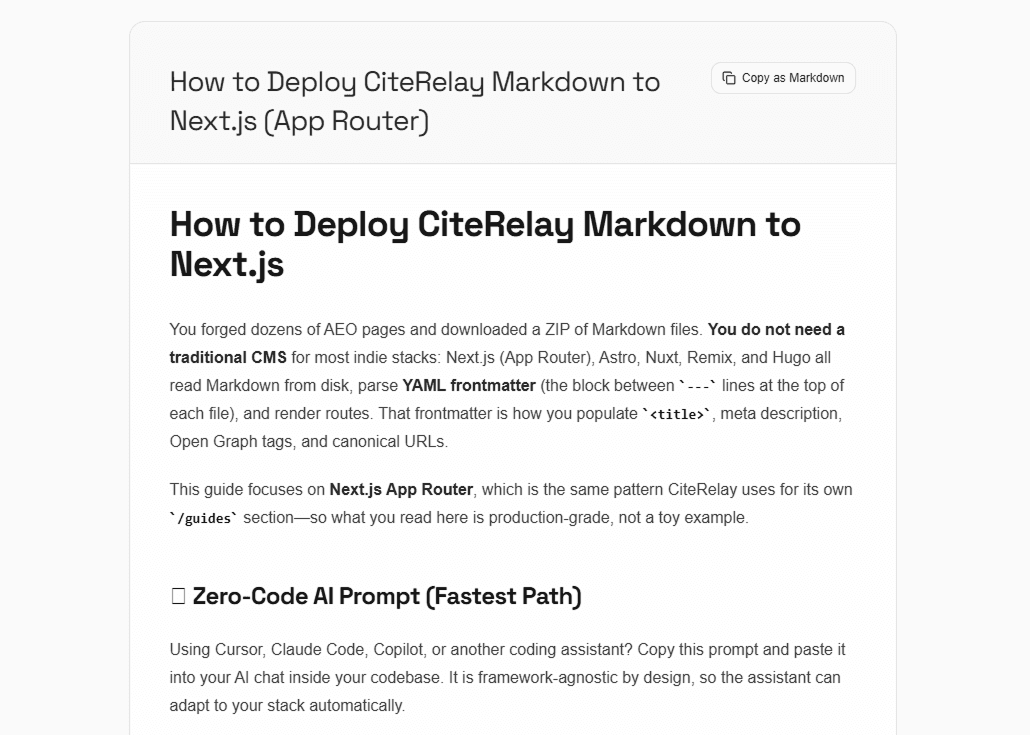
See the full workflow in one take
From URL to 50 published pages — the exact process, no edits.
FAQ
Common Questions
Ready to get started?
Start owning the
Answer Engine layer today
No credit card required. Generate 50+ AEO-ready pages in minutes. Your product, cited by the AI assistants your customers are already asking.